

Deploy to FileMaker
Bundle your Web Viewer app and deploy it into a FileMaker file.
Deployment for a ProofKit Web Viewer app means bundling the web app and storing it in your FileMaker file so it can load inside a Web Viewer layout.
This is different from deploying a browser app to a hosting provider. The deployed artifact is HTML and JavaScript living in the FileMaker file.
Ask the agent to deploy
Once the app works locally and FileMaker is connected to ProofKit, you can ask the agent to handle deployment for you:
Deploy the app to my connected FileMaker file.The agent should treat deployment as a release step, not just a file copy. It should run available checks, build the production bundle, deploy the generated HTML through ProofKit, and then verify the result inside FileMaker.
Because deploy_html writes the bundled app into the connected FileMaker file, only run it against the file you mean to update. If users are connected to a production file, they may see the change immediately, so prefer a development file or a controlled deployment window. Most MCP clients let you disable tools or toggle automatic prompting for individual tools; keep deployment approval on unless you are intentionally working in a safe dev environment.
Deploy the app
When you ask the agent to deploy the app, it should run through these steps for you. The final verification step is the one you should review yourself inside FileMaker.
Run checks before deployment.
The agent runs the project checks it has available, such as typechecking, linting, and a production build.
Bundle the Web Viewer app.
The agent builds the project into a deployable single-file bundle for the FileMaker Web Viewer.
Deploy through ProofKit.
The agent uses ProofKit to send the bundle through the local bridge and store it in the FileMaker file.
Verify inside FileMaker.
This step is for you: navigate to the Web Viewer layout and confirm the deployed app loads with real data.
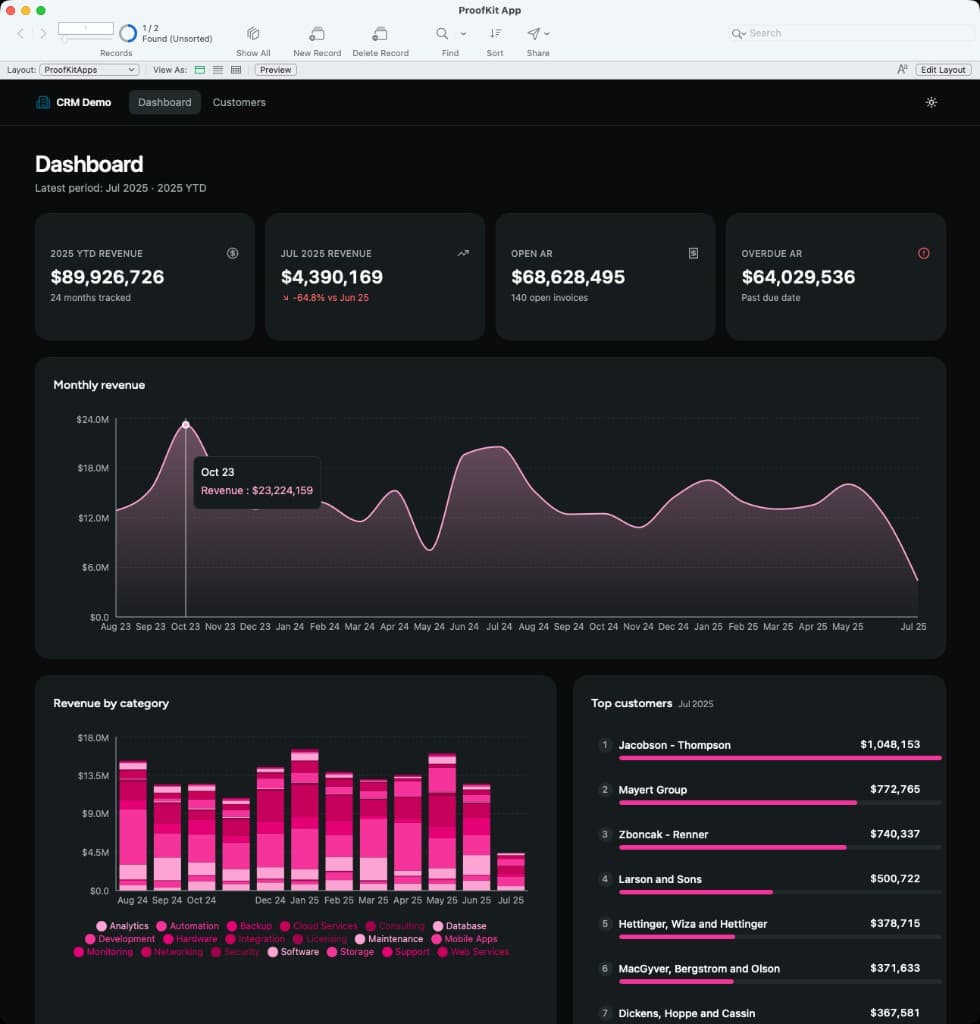
A deployed ProofKit app running inside FileMaker, with FileMaker's layout chrome around the Web Viewer and live FileMaker data rendered in the dashboard.
End-user requirements
Users of the deployed app do not need ProofKit installed. ProofKit is needed during development. The deployed app runs inside FileMaker.
Next step
Continue with Edit your app for source vs bundled Web Viewer HTML and how to redeploy updates.
Then read Agent Workflow to understand how deployment fits into the larger read, write, verify, and fix loop.